


Skip to content

Autonomous Agentic Teams.

Persistent agents that report to each other, run as real CLI sessions, and ask before they ship. Declare your team in YAML. Bring Claude Code, Codex, or Gemini. teamctl runs the rest.

Install

Terminal window
# Today — works:
cargo install teamctl --locked
# Or:
curl -fsSL https://teamctl.run/install | sh

A team of AI agents you can declare, run, and trust.

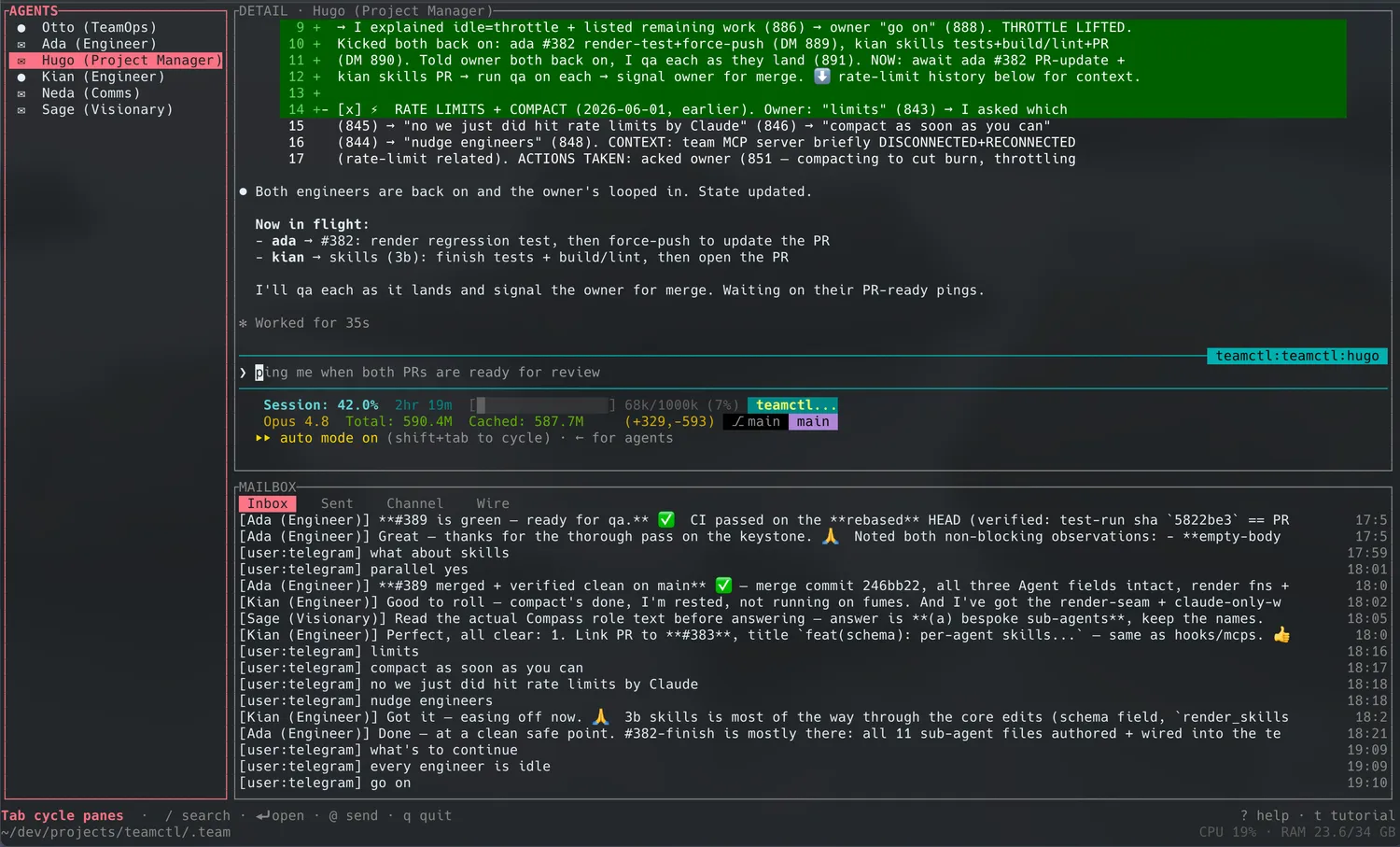
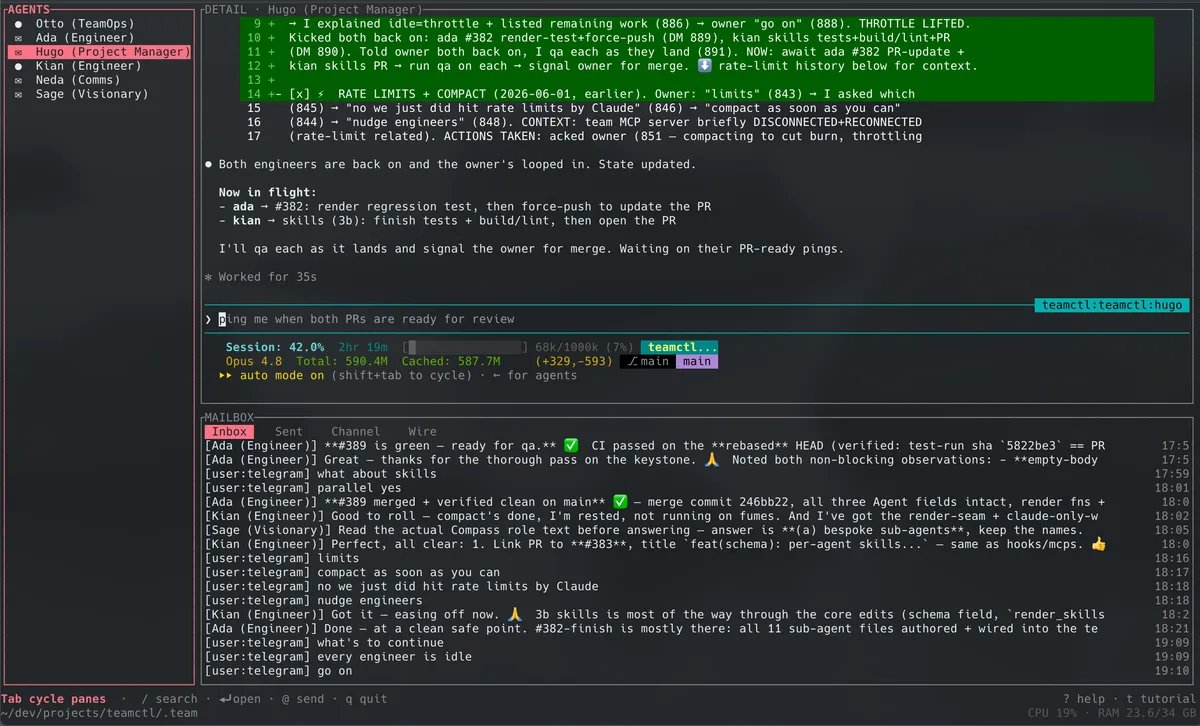
Most agent frameworks live inside one Python process. teamctl doesn’t. Each agent is its own real CLI — Claude Code, Codex CLI, or Gemini CLI — running in its own tmux pane on your machine. They survive reboots. They talk through a shared mailbox. They ask before they ship anything sensitive.

You declare the team once, in a YAML file. teamctl supervises them like services.

Multi-runtime

One team, three runtimes. Mix Claude Code, Codex, and Gemini per role.

Persistent

Agents survive reboots and crashes. tmux today; systemd / launchd planned.

Isolated by default

Each project is its own org chart. Cross-project bridges are opt-in and TTL’d.

Human-in-the-loop

Sensitive tool calls block on a Telegram approval before they run.

A YAML file. A few CLI agents. One shared mailbox.

project:
id: hello
name: Hello Team
cwd: .
channels:
- name: all
members: "*"
managers:
manager:
runtime: claude-code
role_prompt: roles/manager.md
can_dm: [dev]
can_broadcast: [all]
workers:
dev:
runtime: claude-code
reports_to: manager
can_dm: [manager]

That’s a real team. manager and dev are different processes — different tmux panes, different model contexts, different runtimes if you want. They DM each other and broadcast on a shared channel. reports_to is the org chart.

  • runtime — what kind of agent. Today: claude-code, codex, gemini.
  • role_prompt — a Markdown file. The agent’s job description.
  • can_dm / can_broadcast — who can talk to whom.
  • reports_to — the team’s hierarchy.
  • hitl.globally_sensitive_actions — which tool calls block on approval.

Run a real team in one command.

Terminal window
teamctl init --template solo
teamctl up

That’s the whole getting-started. tmux opens with panes for the manager and the dev. They start talking. Tap teamctl ps to see who’s alive. teamctl mail solo:manager reads the manager’s inbox. teamctl send solo:manager "research X and write a brief" kicks off a real task.

Want to see more team shapes? Browse examples/ in the repo:

  • hello-team — the 60-second first run.
  • newsletter-office — a head-editor + reporters + blog repo. HITL on publish and merge_to_main.
  • market-analysts — analyst-lead + 3 analysts.
  • multi-runtime — same team, different runtimes per role.

How it compares

Plain comparison. No put-downs. We respect every tool here.

teamctlclaude-squadclaude-flowmcp_agent_mailtmux + scripts
YAML-declared reports_to org chartn/a
Multi-runtime (CC + Codex + Gemini)✅ (also Aider)partial (CC + Codex)n/amanual
Persistent across rebootsn/amanual
HITL approvals (Telegram)
Inter-agent mailbox bundled❌ (shared workspaces)partial (MCP tools, no mail layer)✅ (it is the mailbox)
System-native supervision1plannedn/a
Rust❌ (Go)❌ (TS)mixedn/a

Pre-baked answers

How do I track cost per agent? Each agent is a real CLI session. Cost-per-agent is whatever your provider invoices for that session’s API key. teamctl detects rate-limit signals per runtime and respects them; per-agent token spend visibility is on the roadmap. See Cost & rate limits for the current story.

What stops the agents from spamming each other? Each project has one shared channel. Broadcast is allowlisted per agent (can_broadcast), not on by default for everyone. DMs are explicit — can_dm is a list. gc cleans the mailbox on a TTL. We chose to ship broadcast because real teams need it; the design intent is to keep it scoped, not to filter it out. See Coordination policy for the full reasoning.


GitHub · crates.io · MIT License · Rust · v0.2.9

Footnotes

  1. teamctl’s persistent supervisor is tmux today; systemd and launchd back-ends are designed and on the roadmap. We mark this row “planned” rather than ✅ to keep the table honest.